← Back to Support
End Grow
After you have harvested, you will want to go into the app to "end the grow". This step will clean out the pumps of your machine, and drain the remaining water into your drain bucket.
In the App
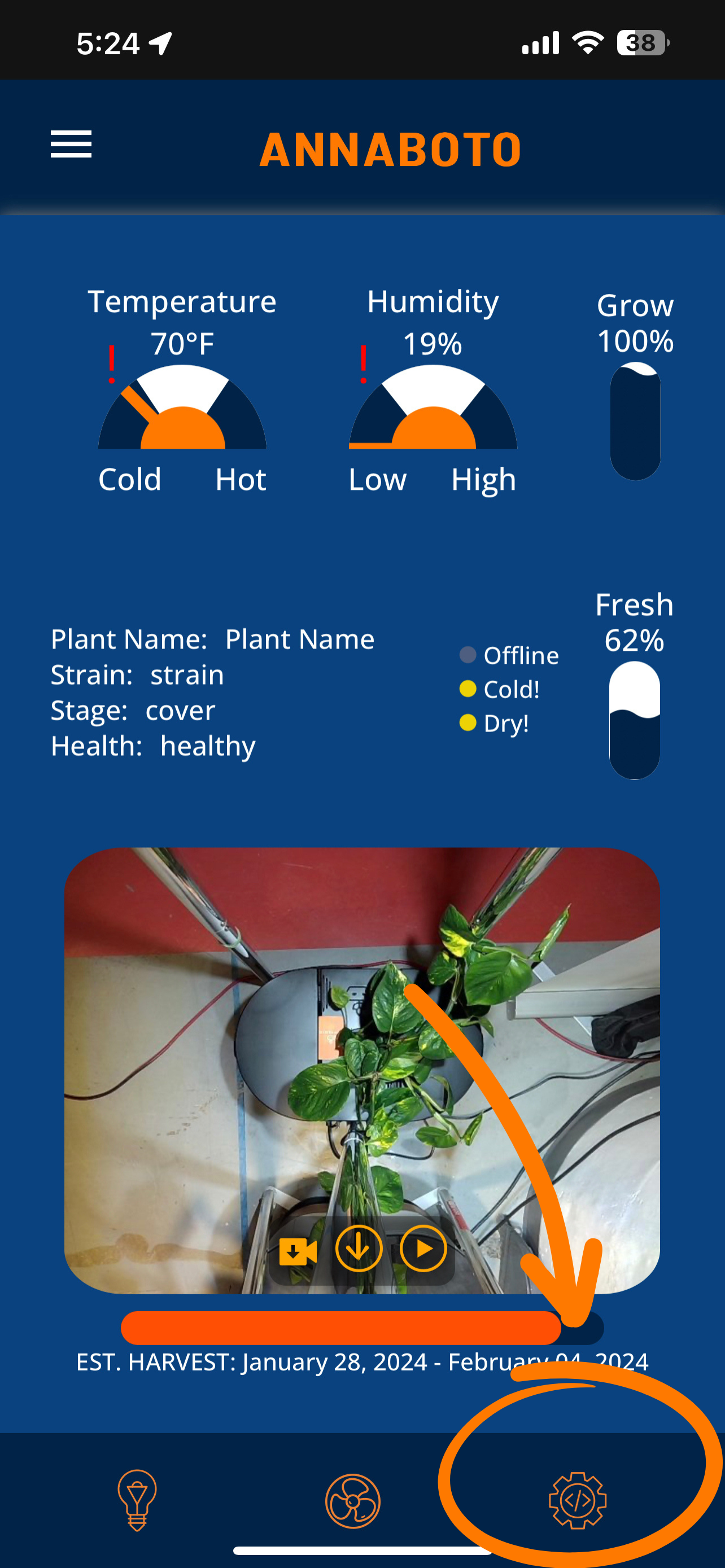
- On the bottom right of your main screen, tap the Settings tab.
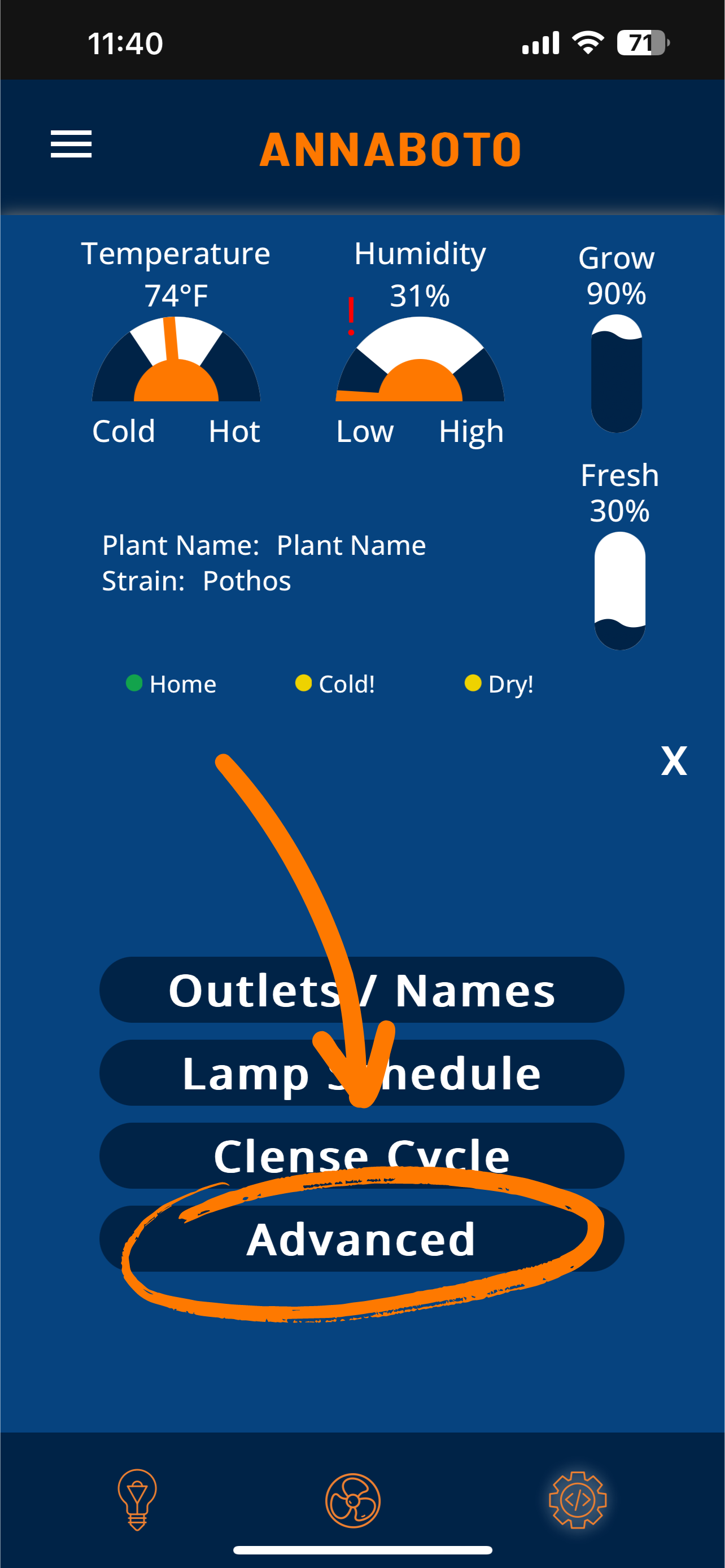
- Within the Settings tab, tap Advanced.
- Within Advanced, tap End Grow.
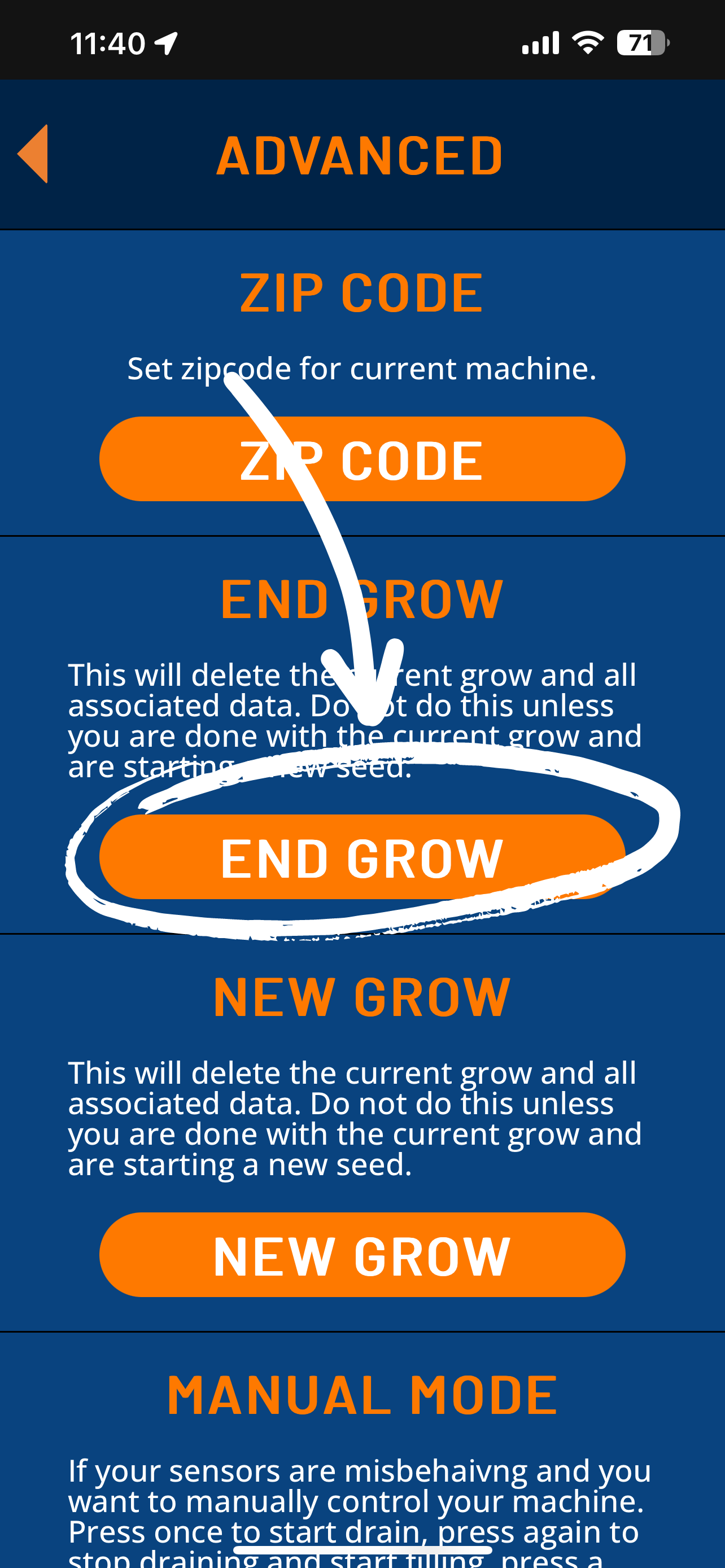
- From here, follow the steps within this tab.
After Draining
- Once all the water has been drained, take a paper towel and wipe up the remaining water and residue from your machine.
- After this, you will be all set to start a new grow!