← Back to Support
View and Download Timelapse
- On the main page, select the robot you want to view.
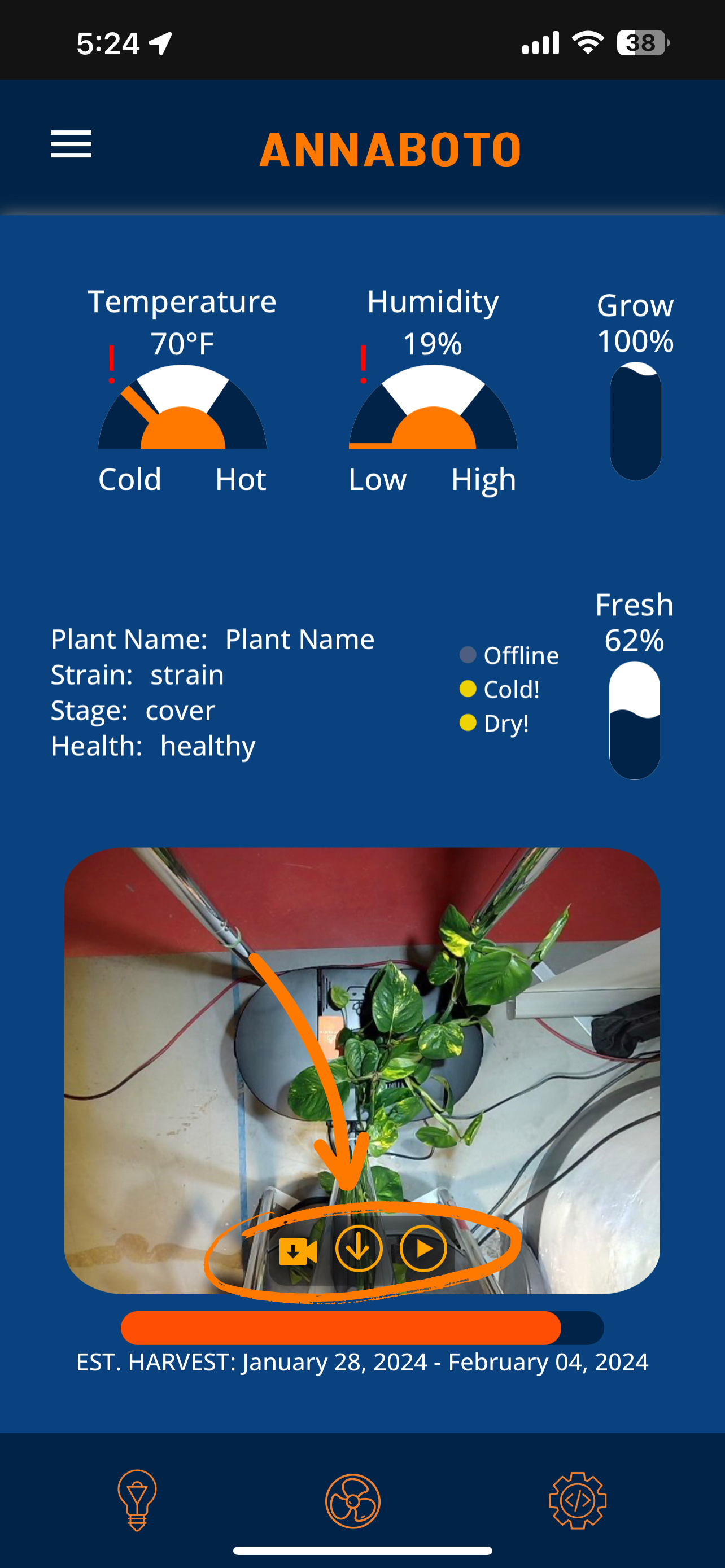
- Once you're in the robot page, tap the play button (far right) at the bottom of the plant screen to watch the timelapse. To download your timelapse, click the download button (middle).